How to create a Google Form with ChatGPT
Updated November 10, 2026 · By Tinkerer (Pratik Poddar), who makes Formlume
Short answer: ChatGPT can't make a Google Form on its own. Connect it to Google Forms with a connector such as Formlume, then describe the form in plain words. ChatGPT builds a real Google Form in your own Drive, with question types, sections and quiz answer keys, and returns the edit link.
https://forms.pratikpoddar.in/mcpAdd it as a custom connector in Claude or ChatGPT, then sign in with Google. Step-by-step setup. Free for 3 new forms a month.
Steps
- In ChatGPT, open Settings → Apps & Connectors, and under Advanced turn on Developer mode (this may need a paid ChatGPT plan).
- Create a new connector named Formlume with the URL https://forms.pratikpoddar.in/mcp and OAuth sign-in.
- Connect, sign in with Google and approve access to files Formlume creates.
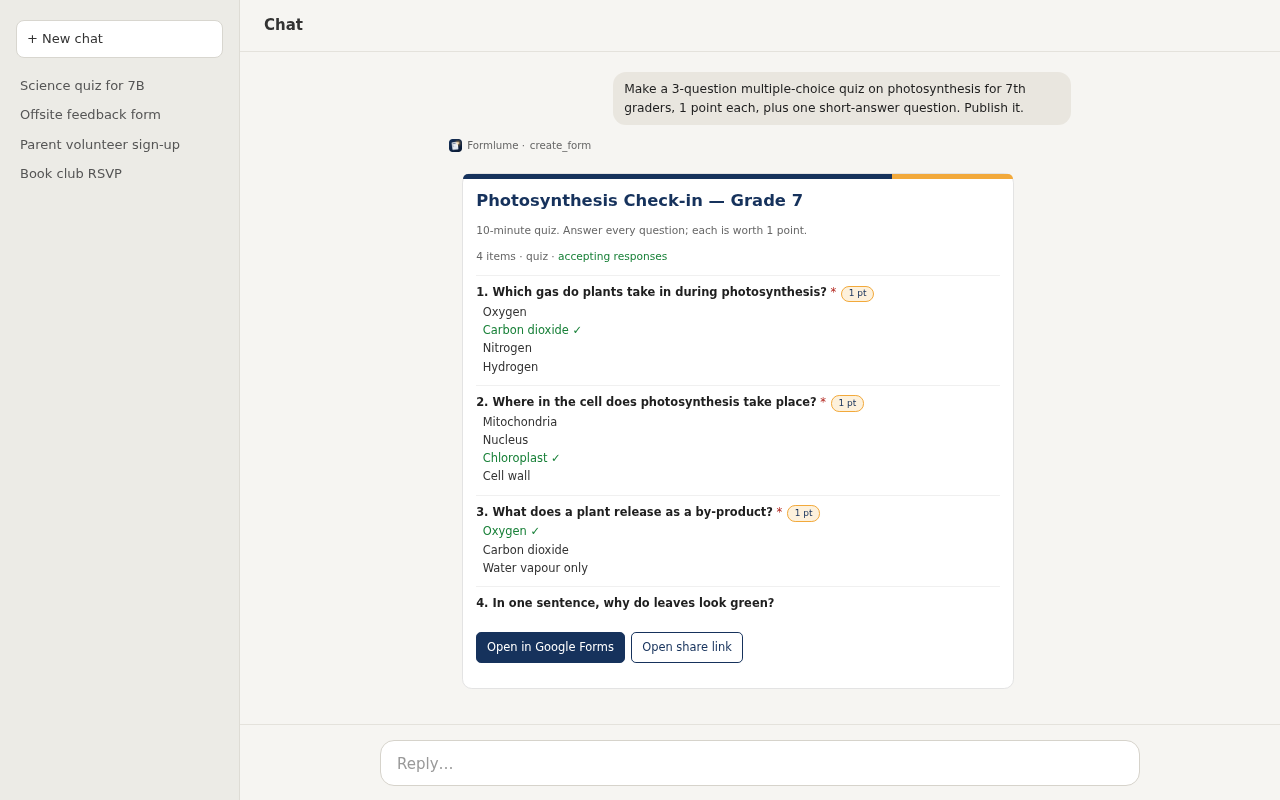
- In a new chat, describe your form: questions, types, required fields, and whether to publish.
- Open the link ChatGPT returns to review the form in Google Forms, then ask it to publish when you're happy.
Prompts that work well
- “Create an RSVP form for our team dinner on Friday: name, attending yes/no, dietary needs, and a plus-one question only if they're attending. Don't publish yet.”
- “Make a 10-question multiple-choice quiz on the water cycle for 6th graders, 1 point each, with an answer key.”
- “Add a required email question at the top and publish the form.”
No connector? The Apps Script route
Ask ChatGPT to “write a Google Apps Script using FormApp that creates this form and logs its URL.” Paste it into a new project at script.google.com, click Run and approve the permissions. It's free and works for any Google account, but you run code yourself, and editing means running it again.
FAQ
- Can ChatGPT create a Google Form by itself?
- No. On its own ChatGPT only writes text. It needs a connector (an app) that calls the Google Forms API, or it can write an Apps Script that you run yourself.
- Is Formlume in the ChatGPT app directory?
- Not yet. It has been submitted for review. Until it's listed, add it as a custom connector in Developer mode with the URL https://forms.pratikpoddar.in/mcp.
- Who owns the form?
- You do. The form is created in your own Google Drive, under your Google account.
- What can't it create?
- Google's API doesn't support file-upload questions, response validation rules or image uploads. For a file, Formlume adds a question asking for a shareable link instead.