Make a Google Forms quiz with an answer key using AI
Updated November 10, 2026 · By Tinkerer (Pratik Poddar), who makes Formlume
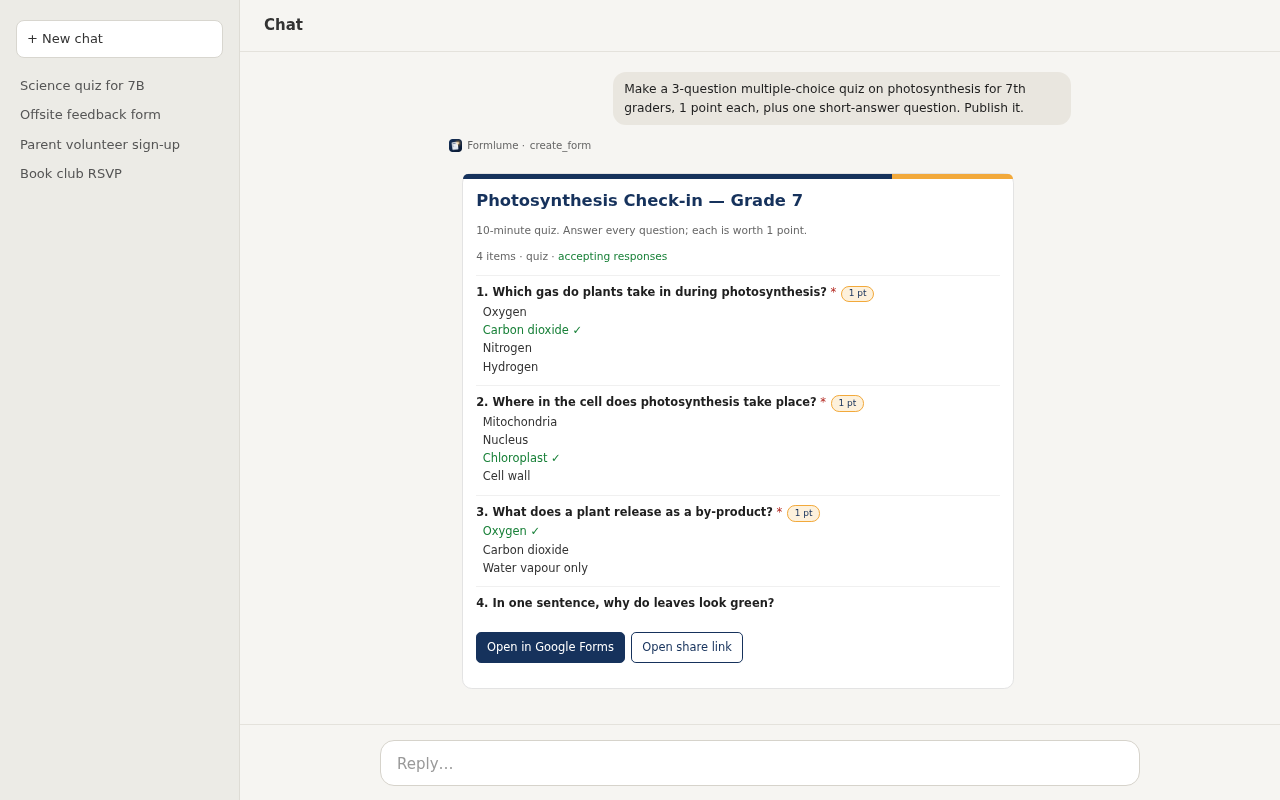
Short answer: Ask ChatGPT or Claude, connected to Formlume, for “a 10-question multiple-choice quiz on [topic], 1 point each, with an answer key.” You get a real Google Forms quiz with quiz mode on, points set and correct answers marked, ready to review and publish.
https://forms.pratikpoddar.in/mcpAdd it as a custom connector in Claude or ChatGPT, then sign in with Google. Step-by-step setup. Free for 3 new forms a month.
A prompt to copy
“Make a 10-question multiple-choice quiz on photosynthesis for 7th graders, 4 options each, 1 point per question, with an answer key and one-line feedback for wrong answers. Collect email addresses. Don't publish yet.”
Then check results
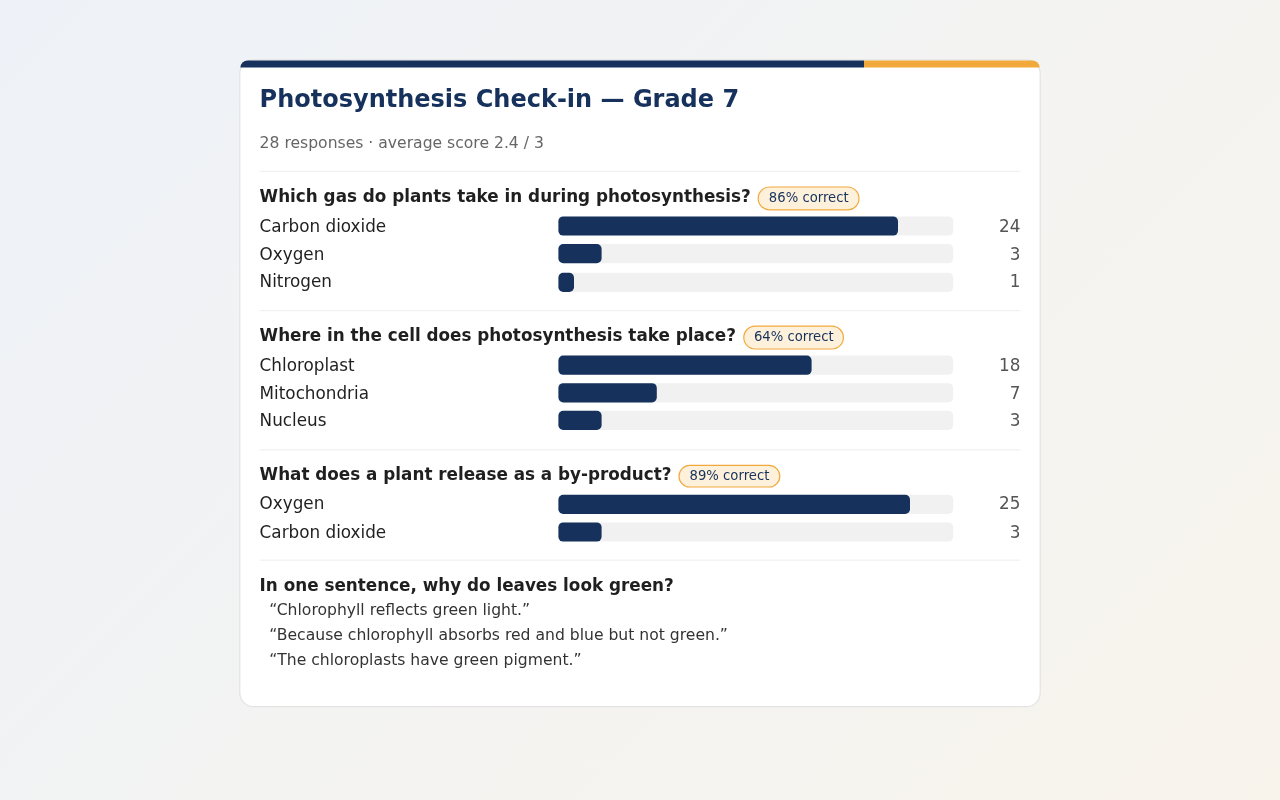
After students answer, ask “How did the class do on the photosynthesis quiz?” You get the average score and the percent correct per question, which is a fast way to see what to reteach.
FAQ
- Does it set the correct answers automatically?
- Yes. When you ask for a quiz, Formlume turns on quiz mode and marks the correct option and points for each question. Check the key in the preview before you publish.
- Can I grade short-answer questions?
- You can list accepted answers for short answer. Paragraph answers need manual grading in Google Forms.
- Will it work with Google Classroom?
- The quiz is an ordinary Google Forms quiz in your Drive, so you can attach it to a Classroom assignment as usual.
- Is Gemini in Google Forms an alternative?
- Yes, if your Workspace or Google AI plan includes it. “Help me create a form” can generate a quiz with correct answers and points, though Google notes it can't yet create multi-section forms.