How to create a Google Form with Claude
Updated November 10, 2026 · By Tinkerer (Pratik Poddar), who makes Formlume
Short answer: Add the Formlume connector to Claude, sign in with Google, and ask for the form. Claude creates it in your own Google Drive, shows a preview in the chat, and can publish it, close it or summarize the responses later.
Connector URL
https://forms.pratikpoddar.in/mcpAdd it as a custom connector in Claude or ChatGPT, then sign in with Google. Step-by-step setup. Free for 3 new forms a month.
Steps
- In Claude, open Settings → Connectors and choose Add custom connector (availability depends on your Claude plan).
- Name it Formlume and paste https://forms.pratikpoddar.in/mcp.
- Click Connect, sign in with Google and approve access to files Formlume creates.
- Describe the form or quiz you want in a chat.
- Review the preview card, open it in Google Forms, and ask Claude to publish it.
What Claude can build with it
- Surveys and feedback forms with short answer, paragraph, multiple choice, checkboxes, dropdown, linear scale, rating, date, time and grid questions
- Sections and branching (“if they answer No, skip to the end”)
- Graded quizzes with points, answer keys and feedback
FAQ
- Can Claude create a Google Form?
- Not with its built-in Google Workspace tools, which cover Docs, Sheets and Slides but not Forms. A Google Forms connector such as Formlume adds that ability.
- Is Formlume in Claude's connector directory?
- Not yet. A directory listing is coming. Until then, add it as a custom connector with https://forms.pratikpoddar.in/mcp.
- Can Claude read the responses later?
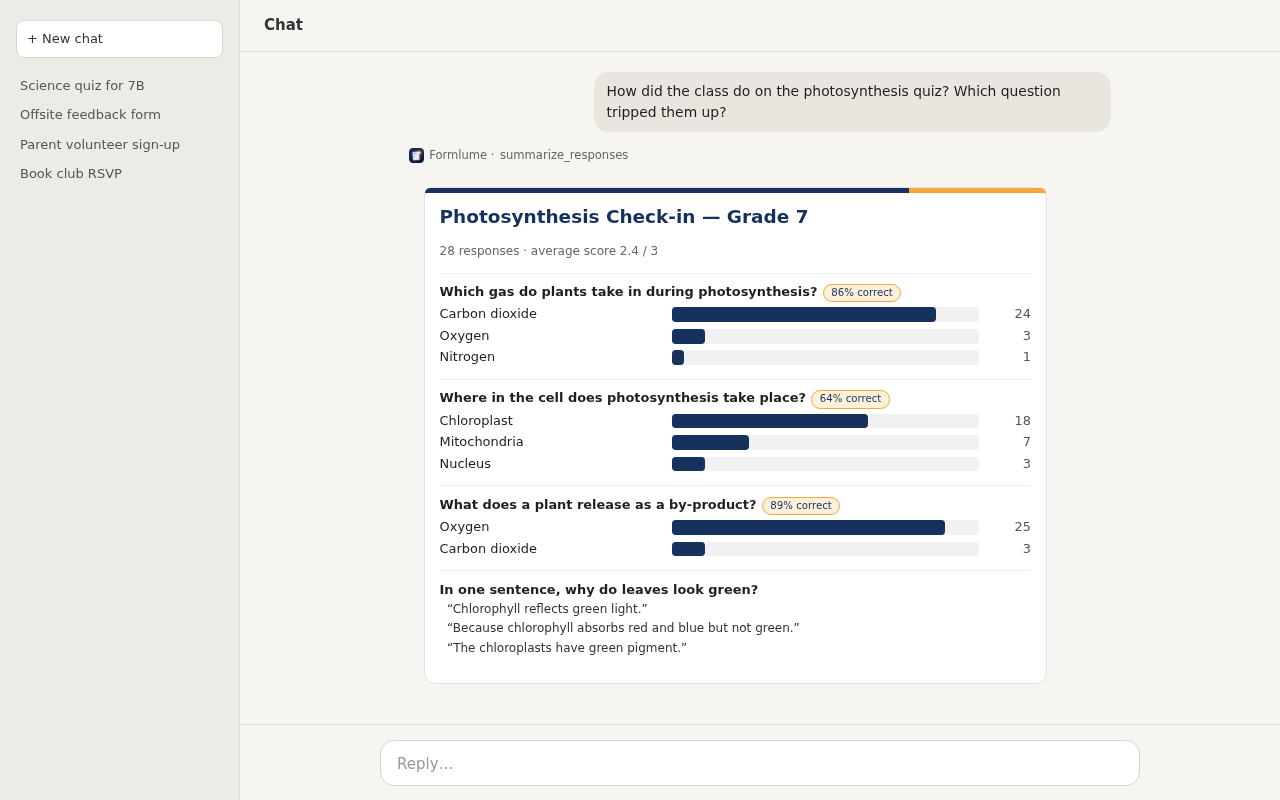
- Yes. Ask “summarize the responses to my RSVP form” and Formlume returns per-question counts, averages and charts.
- Can it edit forms I made elsewhere?
- No. Formlume uses Google's drive.file permission, so it can open only forms it created.